
Early access, onboarding now
Hand your everyday work to AI that already knows your apps.
Dazyflow connects your inbox, your spreadsheets and your team chat, then puts AI to work on the jobs that eat your week. Sort overnight emails. Summarize Monday's sales. Draft a reply the moment an enquiry lands. You set it up once, like a flowchart, and it runs on its own.
- No code, no consultants
- Working in under an hour
- Free to start
Dazyflow is invite-only while we're in early access. Request an invite and we'll get you set up.
Plugs straight into













Why teams trust it
Designed to put your mind at rest
Automation only helps if you can stop worrying about it. Dazyflow is built so you always know what it did, and what it is about to do.
-
Up and running in an hour
Start from a ready made example, change a few details to make it yours, and it's working. No weekend project, no waiting on a consultant to call you back next Tuesday.
-
It asks before anything risky
Sending a customer a reply, posting in chat, paying an invoice. Dazyflow shows you what it's about to do and waits for your nod. The busywork is automatic. The decisions stay yours.
-
Your data stays yours
Each step only sees what it needs to do its job. Nothing is used to train AI models, and you can unplug any app you connected, any time, with one click.
Switch one on today
Four jobs you could stop doing by hand this week
Every one of these is a handful of clicks in Dazyflow. Pick the one that annoys you most and start there.
-
Sort the morning inbox before you open it
- New email arrives
- AISort into orders, questions, complaints
- Logged to a sheet
- Urgent ones pinged to the team
-
Monday's sales summary, in your inbox before coffee
- Every Monday, 7am
- Read the sales sheet
- AIWrite three bullets on how the week went
- Emailed to you
-
Never leave an enquiry sitting for a day
- Someone fills in your form
- AIDraft a polite reply, mention the return policy
- You read it and approve
- Sent
-
Know about the big orders the second they land
- Payment comes in
- AICheck the amount and the customer
- Flagged in the team channel
- Invoice created
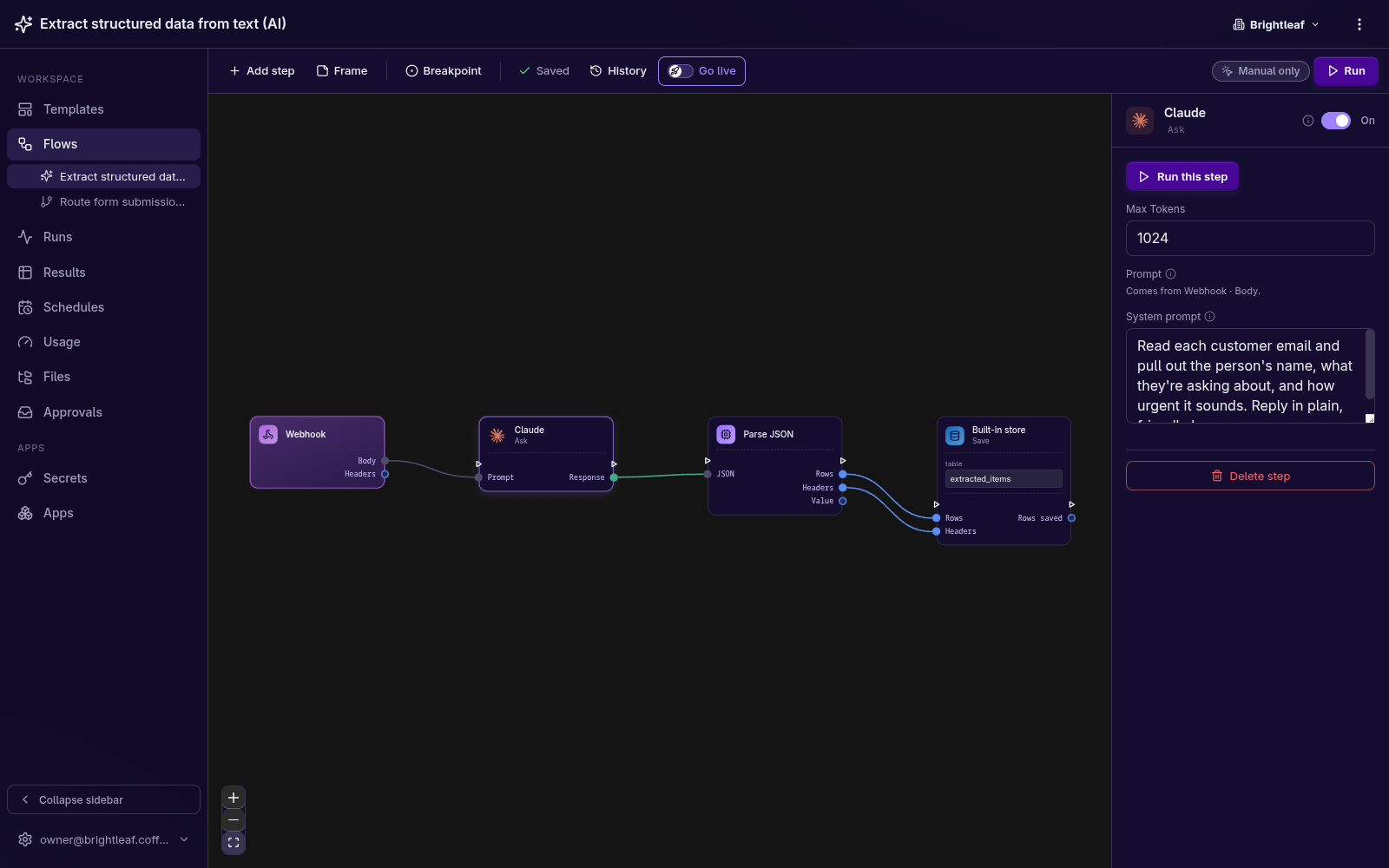
The AI step
Tell the AI what you want, in plain English.
Write the instruction the way you would ask a helpful assistant. It does the job, hands the result to the next step, and waits for your approval before anything goes out.
- "Group these emails into orders, questions and complaints."
- "Summarize this week's reviews into three bullets."
- "Draft a polite reply, mentioning our return policy."
The builder
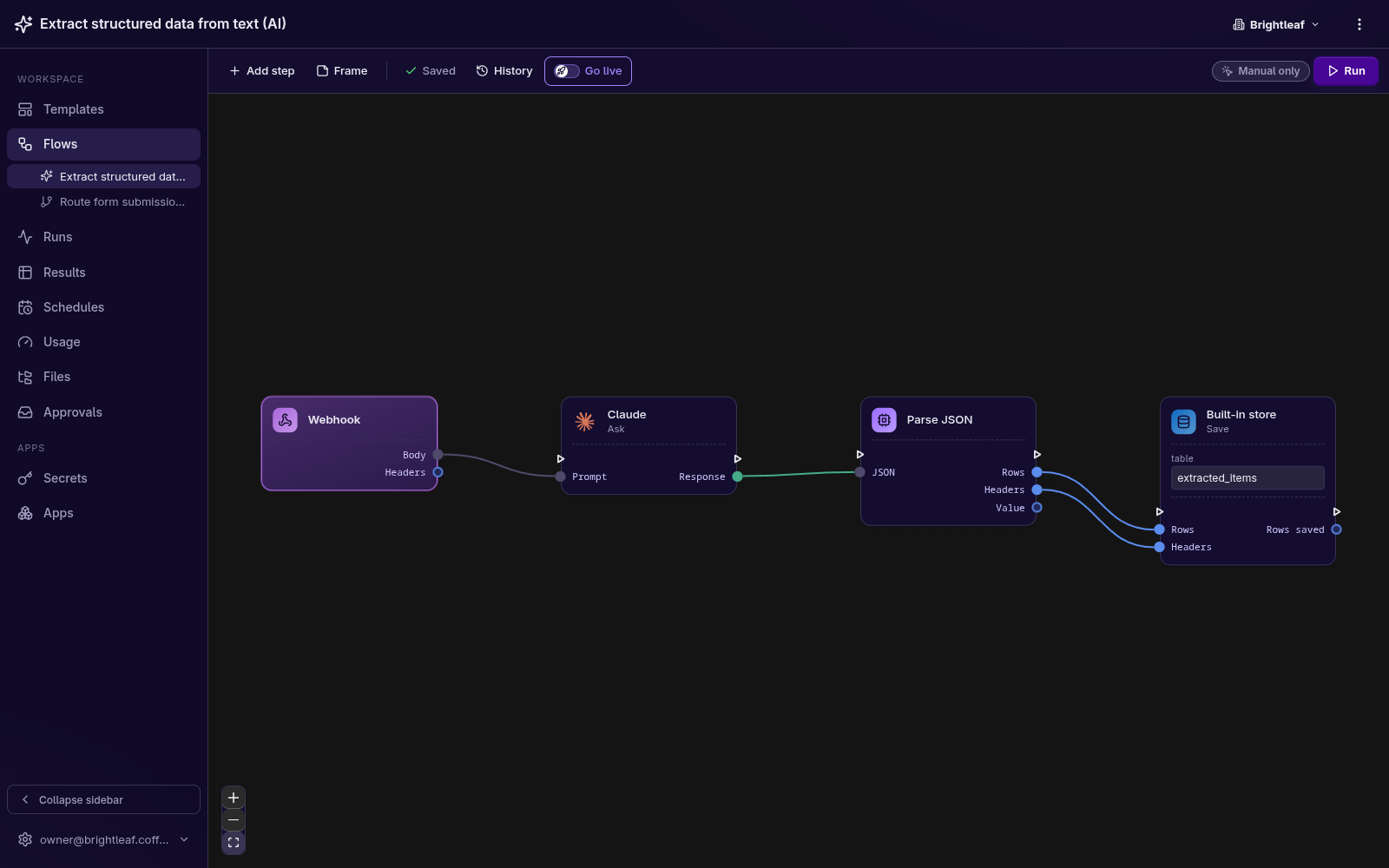
Set it up like a flowchart.
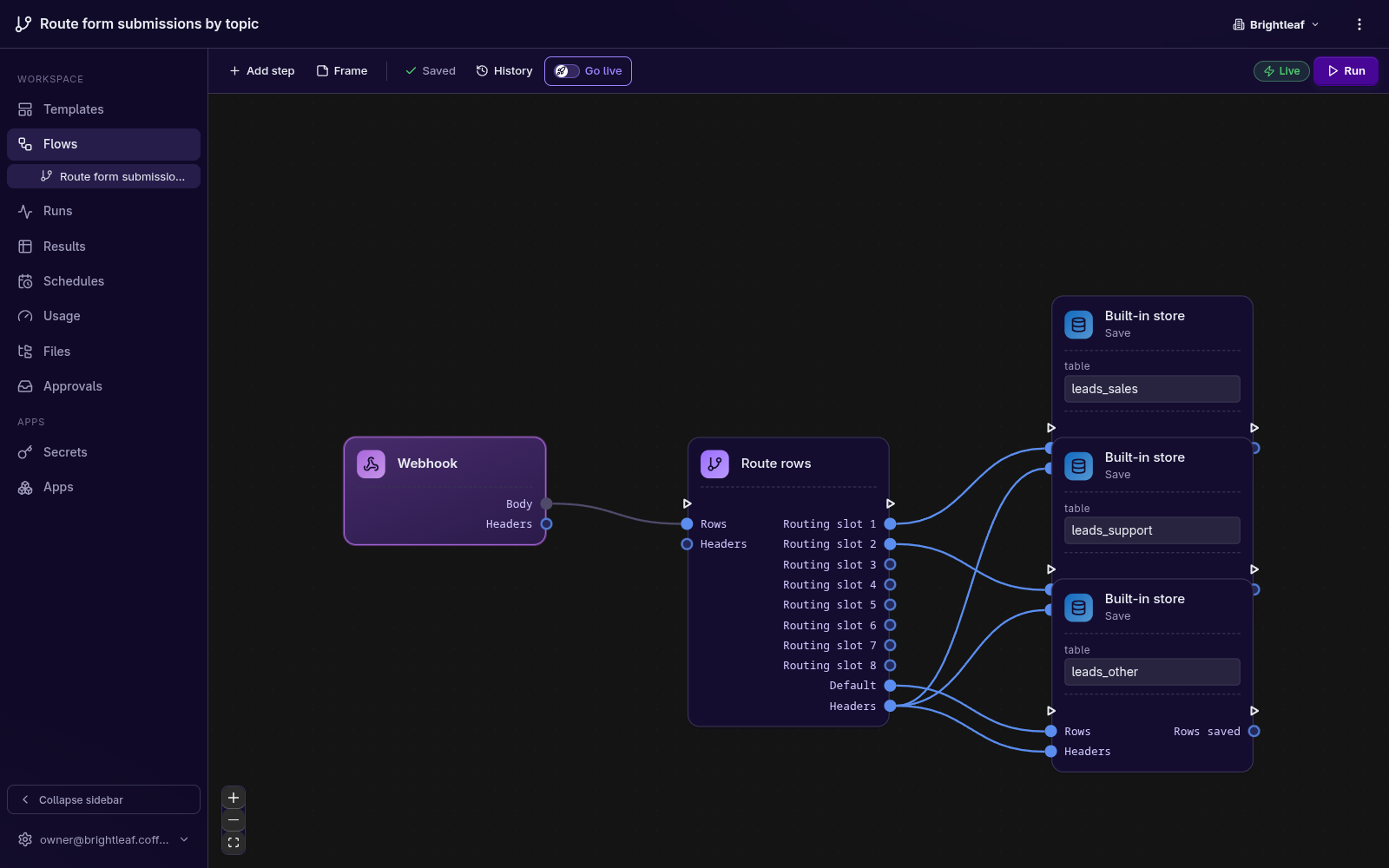
Drop the apps you use onto the page and draw a line from one to the next. That is the whole thing. Each step hands its work to the next, so an enquiry can land in your inbox, get sorted by AI, get logged to a sheet and ping the team in chat, all on its own.
- Drag, drop, draw a line. Nothing to configure that you don't understand.
- Test it on real data before you switch it on.
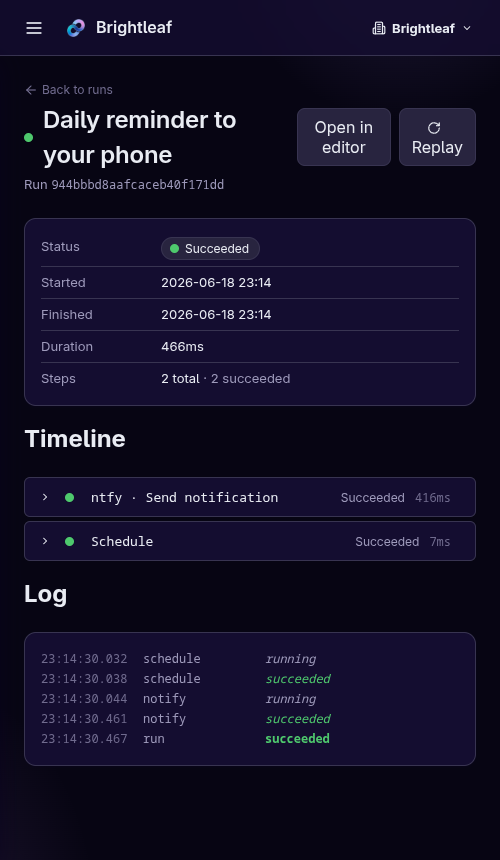
- Every run is recorded, step by step, so you can see what happened.
- 41 apps you can connect today
- 0 lines of code to write
- €0 to start on the hosted plan
- AGPL open source, self-host for free
How it works
Three steps, and it's yours
From nothing to a job you never have to do again, in an afternoon.
-
1
Start from an example
Pick a ready made flow like "sort my inbox", "summarize Monday's sales" or "reply to new enquiries". Change a few details to match your business and you're set.
-
2
Tell the AI what you want
In plain words, the same way you'd ask an assistant. "Group these by topic." "Pull the total from this invoice." "Write a polite reply." A couple of clicks, no setup, no jargon.
-
3
Let it run on its own
On a schedule, when an email arrives, or at the press of a button. Dazyflow keeps a tidy record of every run, so you can check at a glance that everything went through.
Who's it for
Built for the people doing three jobs at once
-
If you run a small business
You're doing the work of three people. Hand the email triage, the weekly report and the chasing of enquiries to Dazyflow, so you can spend your time on the bits only you can do.
-
If you handle the inbox
You keep the show on the road. Sort overnight emails, summarize the sales sheet, draft the polite replies, all on autopilot. Step in only when something actually needs you.
-
If your team is small
Everyone can see what's happening because the same jobs run the same way every time. Dazyflow does the routine, keeps a tidy record, and pings the right person when a decision is needed.
Integrations
Works with the apps you already use
Connect your inbox, your spreadsheets and your team chat, then add AI wherever you want it. Setting one up takes a couple of clicks, with no technical setup.
-
Gmail
Send emails automatically, or start a task when one arrives.
-
Google Sheets
Add rows and pull information from your spreadsheets.
-
Slack
Post updates and alerts to your team's channels.
-
Notion
Keep your pages and lists up to date on their own.
-
Google Calendar
Read your schedule and add events automatically.
-
Excel
Read spreadsheets and create tidy new ones for you.
-
Stripe
Kick off a task the moment a payment comes in.
-
Klarna
Take payment when an order ships and handle refunds on their own.
-
Google Drive
Save files and pick up new ones as they arrive.
-
Discord
Post alerts and updates to your server.
-
GitHub
Open and comment on issues, and start a flow when code is pushed.
-
Postgres
Read and write rows straight from your Postgres database.
-

MySQL
Query and update your MySQL or MariaDB tables.
-

SQLite
Keep a lightweight database right in your workspace.
-

Text messages
Send a text the moment something needs you.
-

Weather
Get today's forecast and put it to work, like emailing it to you each morning.
-
Google Forms
Start a flow the moment someone submits one of your forms.
-
Fortnox
Create customers and invoices, and react when one is paid.
-

Home Assistant
React to your smart home and switch devices on and off.
-

OpenStreetMap
Turn an address into coordinates and look up places nearby.
-

MQTT
Connect sensors and IoT devices to your flows in real time.
Plus more apps, with Claude AI built into every step and ready to drop into any workflow. See all 41 apps, or tell us about the one you need and we'll add it.
A look inside
Everything it does, on the record
Real screens from the product, not mock-ups.
-
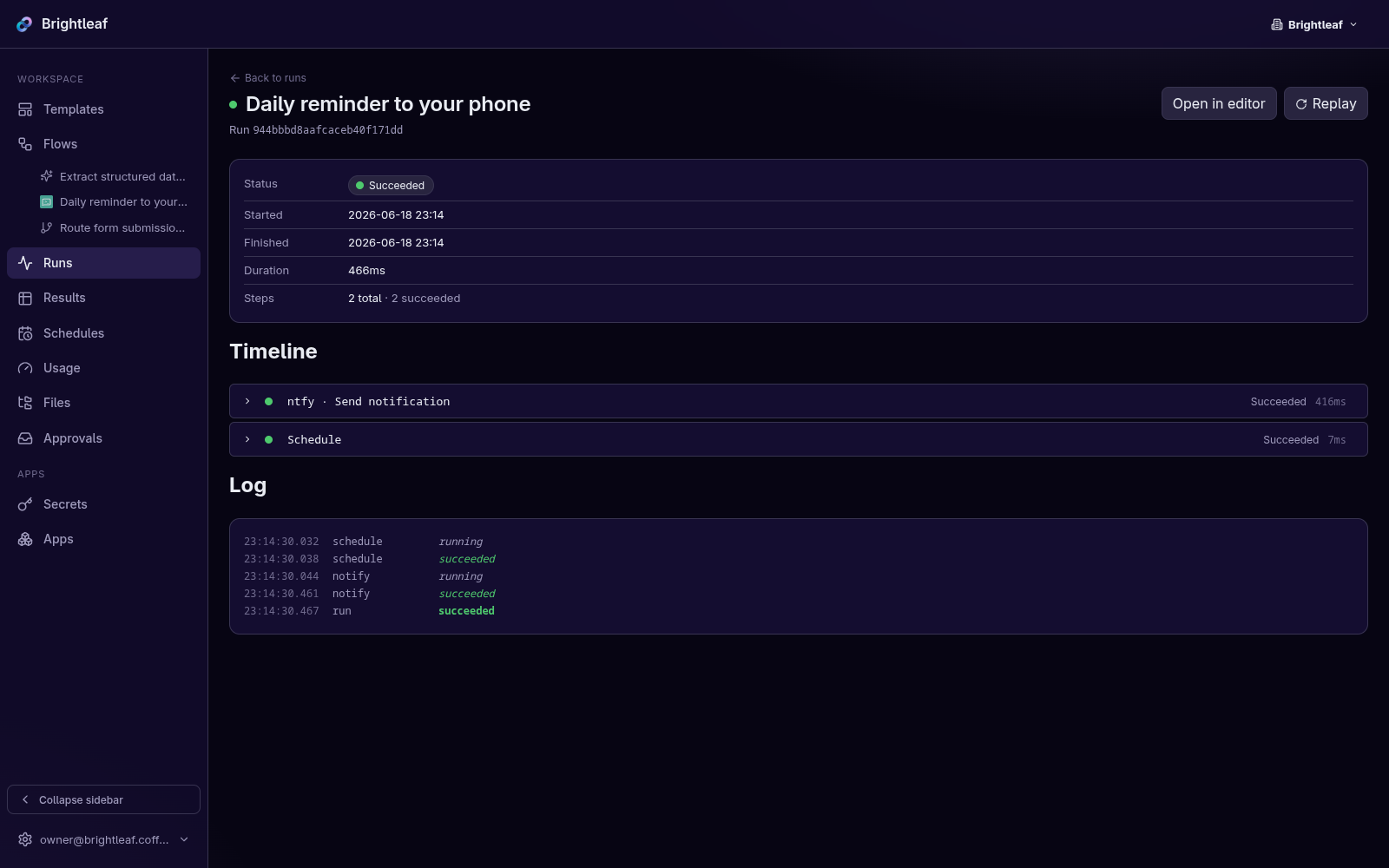
Every run, step by step, with its own timings. -
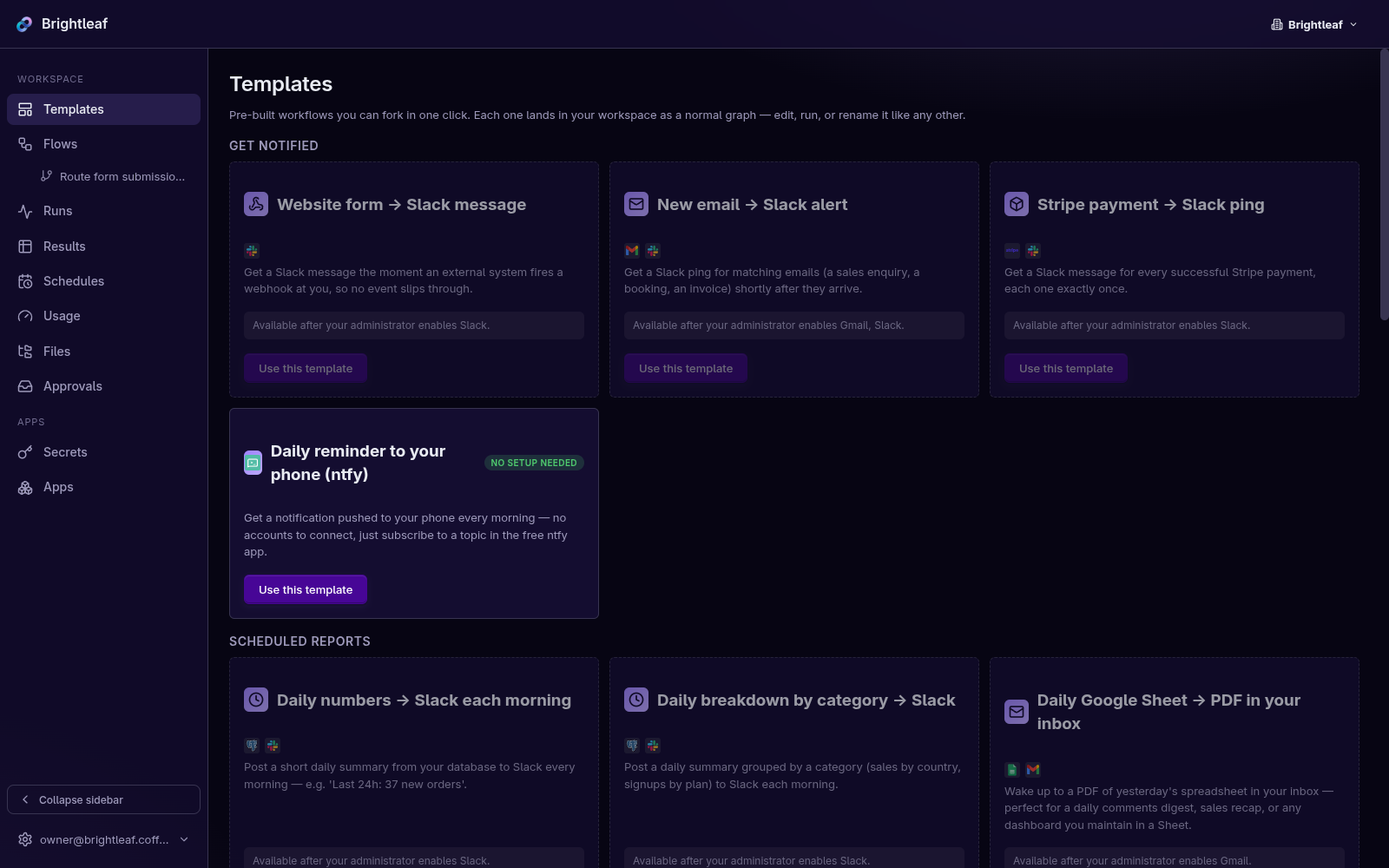
Ready made flows to start from, one click each. -
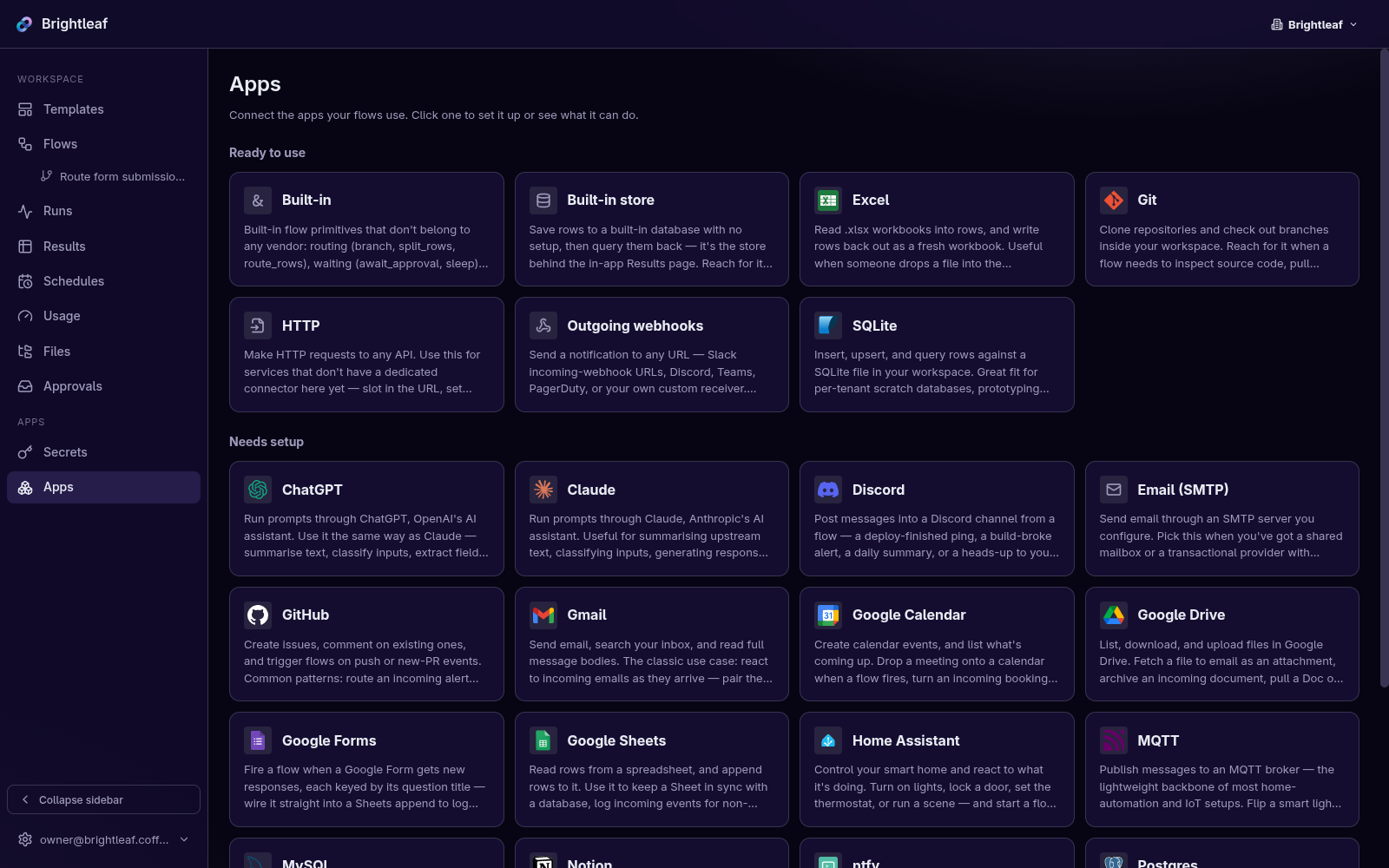
Every app a step can use, and what each one does.
Open source
Or run it on your own servers
Dazyflow is open source. If you would rather keep everything in house, you can host it yourself for free. Same product, running on your infrastructure, with your data never leaving it.
-
Free and open source
Released under the AGPL licence. Read the code, change it, and run as many flows as you like with no limits and no per seat fee.
-
Your servers, your data
Everything runs on hardware you control. Connected apps, AI keys and results stay on your own machines, behind your own firewall.
-
Up in minutes
All you need is Docker and a database. One command brings up the whole thing, and the deployment guide covers backups, TLS and going to production.
Questions
The things people ask us first
Something not covered? Write to hi@dazyflow.app and we'll answer properly.
-
Do I need to be technical to use Dazyflow?
No. You start from a ready made example, connect your apps with a couple of clicks, and write your instruction to the AI in plain English. There is nothing to install and no code to write.
-
Will it send things without asking me?
Not unless you tell it to. Anything that leaves your business, a reply to a customer, a message in chat, a payment, can wait for your approval. Dazyflow shows you exactly what it is about to do first.
-
What happens to my data?
Each step only sees what it needs to do its job. Nothing is used to train AI models, and you can unplug any app you connected at any time with one click. If you would rather nothing left your building at all, self-host it.
-
What does it cost?
There is a free hosted tier so you can build and prove the value before you pay anything, then a flat monthly Pro plan, and a hosted Enterprise tier for larger organisations. The open source build is free to self-host with no limits. See pricing for the detail.
-
What if the app I need isn't there yet?
Tell us. We are in early access and adding apps in the order our first teams ask for them, so a request now genuinely moves it up the list.
A few places left
Get early access.
Dazyflow is invite-only while we're in early access, so we can help each new team properly. Request an invite and we'll get your first job running with you.
Questions first? Write to hi@dazyflow.app.